Release Notes

Follow new updates and improvements to Route One Go.

August 5th, 2026

New

Fleet Portal

Introduction

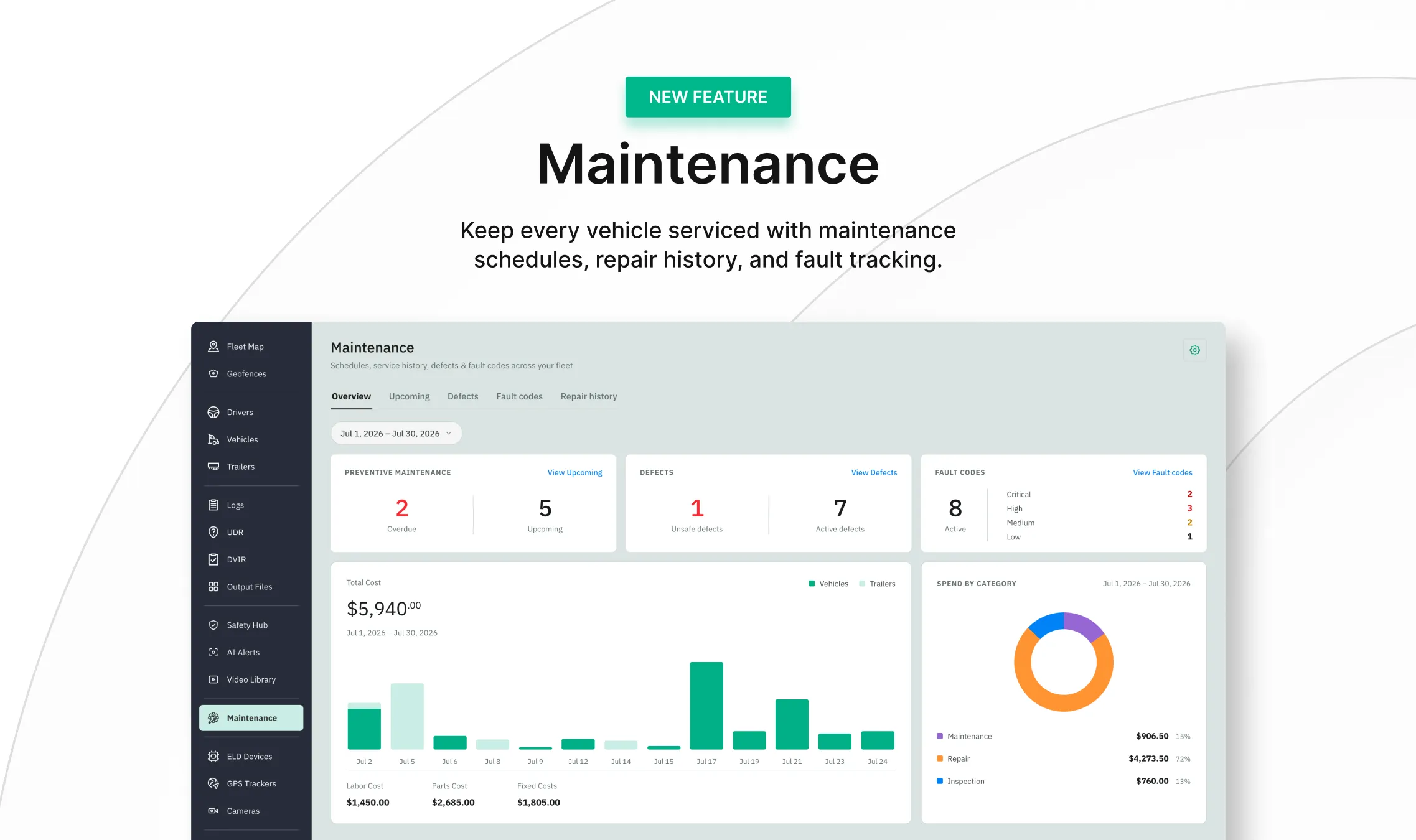
Maintenance brings preventive service, repair records, driver-reported defects, and engine fault codes into one place in the Fleet Portal. Set a schedule once and every assigned vehicle shows up as it comes due; log the repair that closes it out; and see what your fleet is spending — all without leaving the portal.

What’s New?

  • Preventive maintenance schedules that track every asset by date, mileage, or engine hours.

  • Complete repair history with itemized costs, shop details, and attached invoices.

  • Driver-reported defects from DVIRs, surfaced by asset with out-of-service items flagged.

  • Engine fault codes read directly from each vehicle's connected telematics device.

  • An Overview dashboard for fleet spend and what needs attention now.

Learn More

Full walkthrough: Maintenance module overview
Write a comment...

July 29th, 2026

New

Fleet Portal

Introduction

Your fleet, every driver, and every vehicle now get a safety score, built from real camera events. The new Safety Hub shows you who needs attention, whether behavior is improving week over week, and turns each event into a coaching action you can track. You decide what "safe" means for your operation.

What’s New?

The Fleet Portal now has safety scoring. It puts a clear picture of how your fleet drives in one place — turning camera events into scores, rankings, and a coaching workflow you can act on and tune to your operation.

  • Find the handful of drivers dragging your fleet down instead of reviewing every one

  • Back raises, bonuses, or corrective action with a documented record instead of a gut call

  • Weight the behaviors that cost you most — harsh driving, following too close — so the score reflects your operation, not a generic template

Learn More

Want to set up scoring and coaching? Start here: Using the Safety Hub

Write a comment...

July 29th, 2026

New

Fleet Portal

Introduction

Road and in-cab dash cameras now connect directly to Route One Go. AI reviews footage as your trucks drive and flags safety events — harsh braking, distraction, following too close, speeding — so you can see exactly what happened instead of taking someone's word for it.

What’s New?

AI-flagged events land with synced road and driver video, speed and G-force telemetry, and the trip on a map — so a single event tells the whole story.

  • On-demand retrieval works for any time window the camera has footage for

  • Manage camera devices from one place, with live view and location history per camera

  • Keep every clip in one library, ready to download or hand your insurer for a claim

  • Watch any truck live on the Fleet Map

Learn More

New to cameras? See how to add and manage them here: Getting started with dash cameras

Write a comment...

July 9th, 2026

New

Fleet Portal

What’s New?

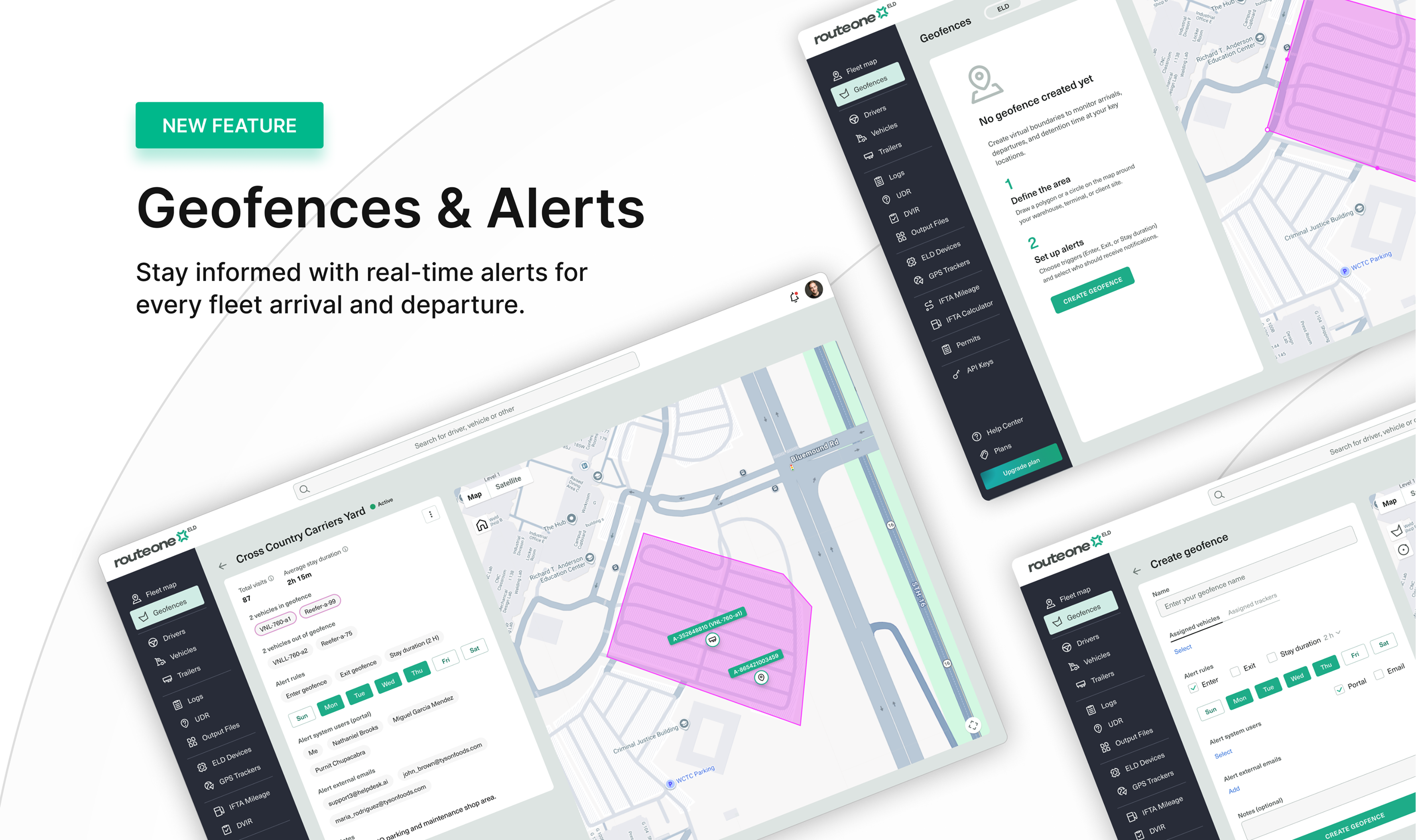
You can now create virtual boundaries around your key locations to track vehicle movement automatically.

A geofence monitors when your vehicles arrive, leave, and how long they stay — giving you visibility into detention time and dwell at customer sites, yards, terminals, and fuel stops without manual check-ins.

Write a comment...

June 14th, 2026

New

Improved

Driver App

Fleet Portal

Introduction

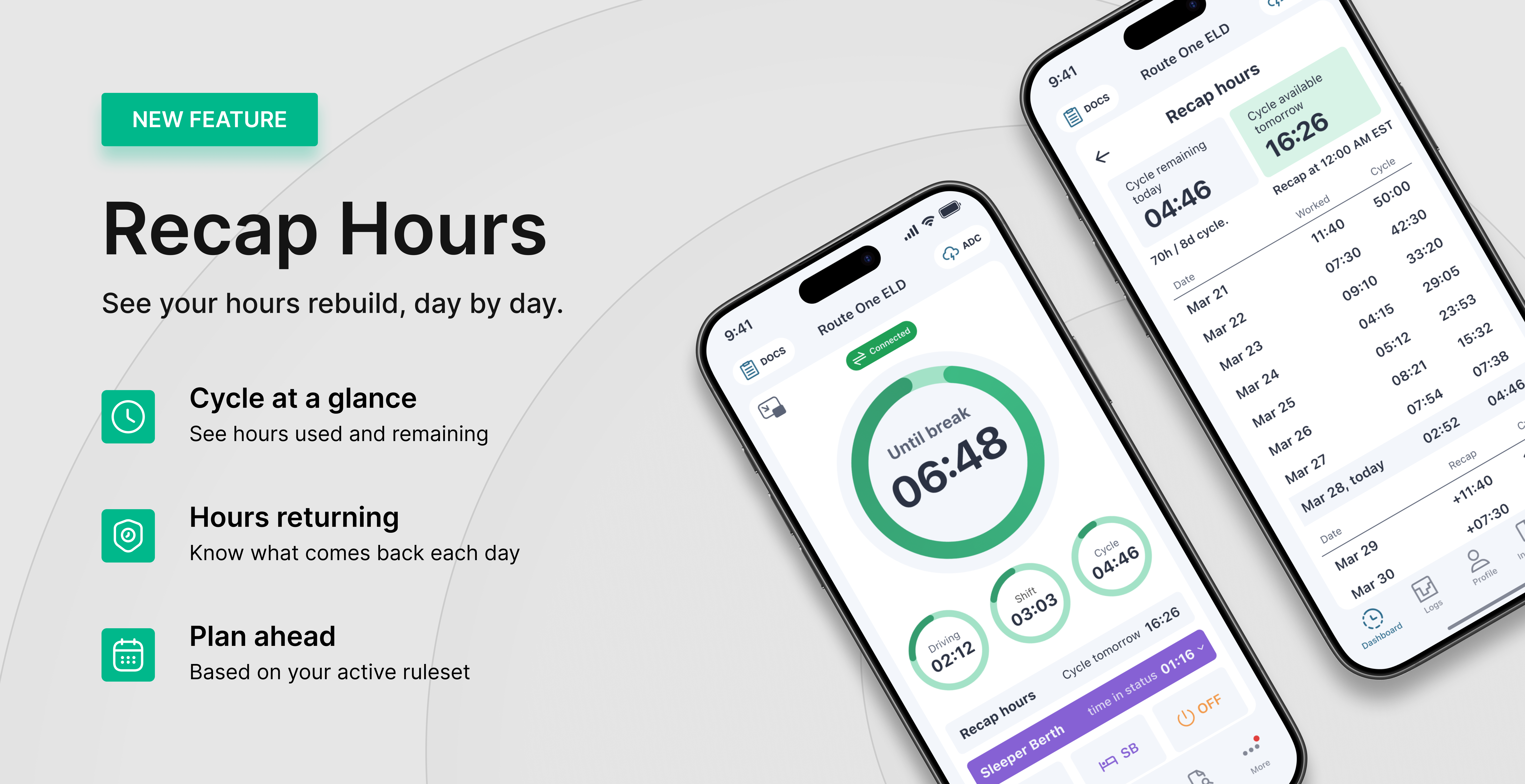
Recap gives drivers a clear view of available driving time and how hours return to the cycle. Instead of guessing when time becomes available, drivers see what they've used and what's coming back — day by day.

What’s New?

Recap is now in the Driver App and Fleet Portal. It gives you a clear picture of your cycle: the hours you've used, the hours you have left, and when more hours come back as older days roll off. No more doing the math in your head before a trip — Recap shows you where you stand and what's coming.

  • See used and remaining cycle hours in one place

  • Know exactly when hours come back, day by day

  • Always matches your hours rule (60- or 70-hour)

Also in this release

  • Location sharing based on the ELD module — Share your vehicle's location with others, sourced from the connected ELD device.

  • Location history based on the ELD module — View past vehicle locations recorded from the connected ELD device.

  • Time remaining until shift and cycle reset — A live countdown to the next shift reset (10-hour) and cycle reset (34-hour restart).

  • Driver App and Fleet Portal UI/UX improvements — Cleaner layouts and easier navigation across both.

Learn more

Want to see how your hours rebuild over the cycle? Follow the full walkthrough here: Recap hours

Write a comment...

May 26th, 2026

New

Driver App

Introduction

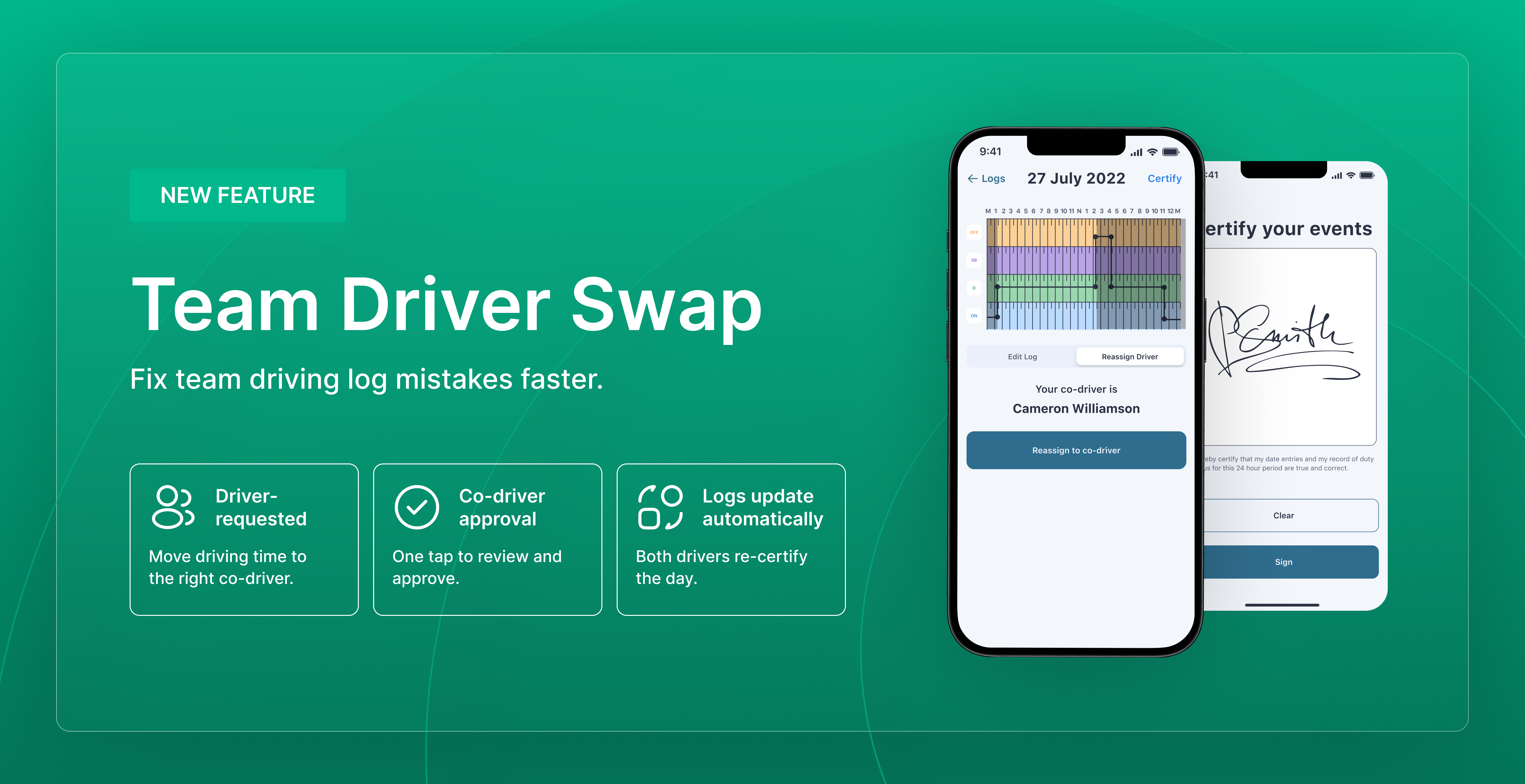
Team driving errors — where the wrong driver ends up with driving time on their log — can now be corrected directly from the Driver App. Both drivers approve the swap, and the records update automatically. It's the FMCSA-recognized correction path for team driver assignment errors.

What’s New?

The Reassign action is now available on Driving events in the Driver App. It lets a driver move a Driving event from their own log to their co-driver's log, with the co-driver's approval. The system applies the annotation "Team Driver Swap" to both logs automatically, and total driving time across the pair stays unchanged.

  • Available only on events where a co-driver was indicated at the time of recording

  • The affected day is locked on the Fleet Portal for both drivers to prevent conflicting edits

  • The lock clears as soon as the request is accepted, rejected, or cancelled

  • Both drivers re-certify the affected day

Learn More

Need to move driving time to the correct co-driver? Follow the full walkthrough here: Reassign Driving time between co-drivers

Write a comment...