Release Notes

Follow new updates and improvements to Route One ELD.

June 14th, 2026

New

Improved

Driver App

Fleet Portal

Introduction

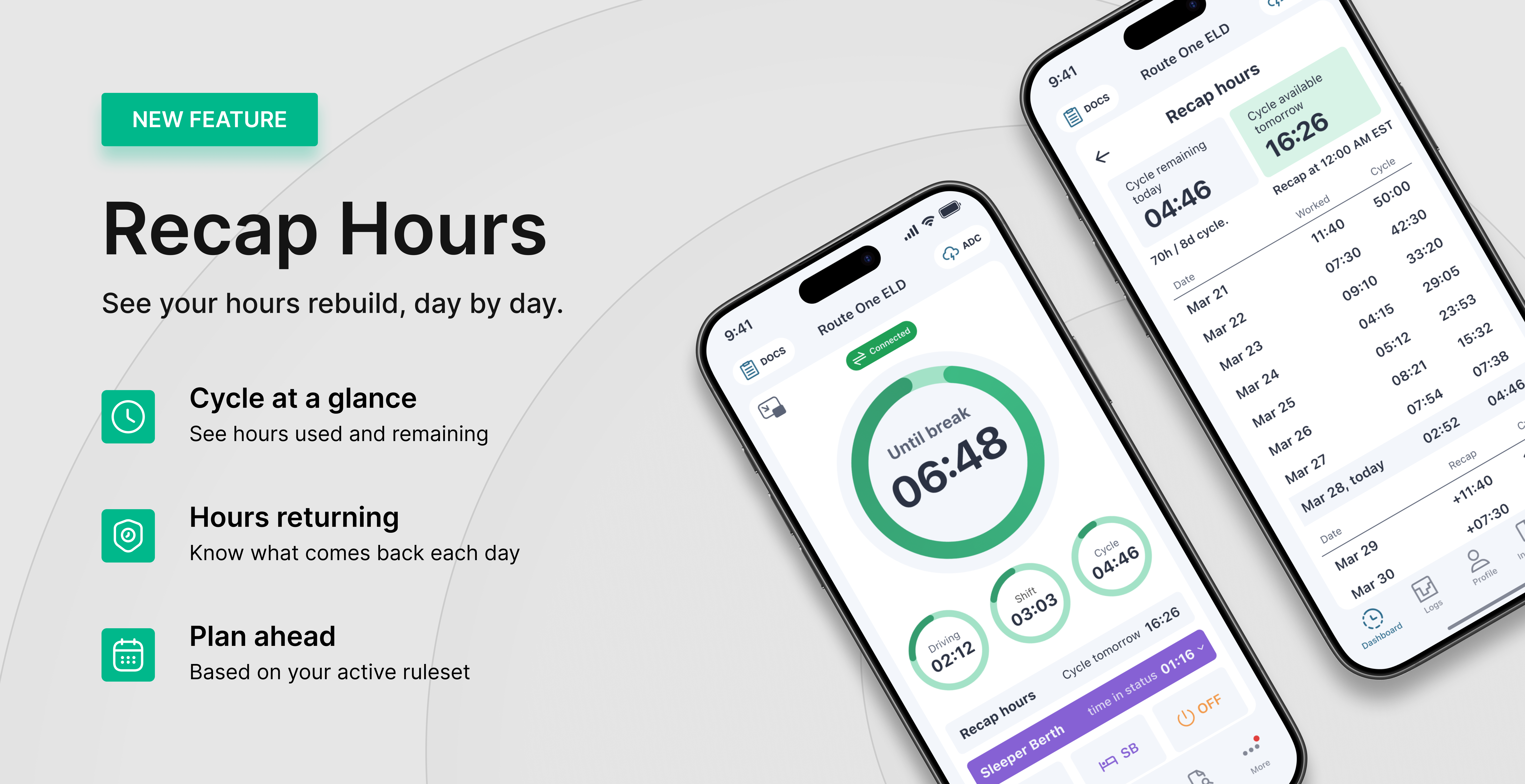
Recap gives drivers a clear view of available driving time and how hours return to the cycle. Instead of guessing when time becomes available, drivers see what they've used and what's coming back — day by day.

What’s New?

Recap is now in the Driver App and Fleet Portal. It gives you a clear picture of your cycle: the hours you've used, the hours you have left, and when more hours come back as older days roll off. No more doing the math in your head before a trip — Recap shows you where you stand and what's coming.

  • See used and remaining cycle hours in one place

  • Know exactly when hours come back, day by day

  • Always matches your hours rule (60- or 70-hour)

Also in this release

  • Location sharing based on the ELD module — Share your vehicle's location with others, sourced from the connected ELD device.

  • Location history based on the ELD module — View past vehicle locations recorded from the connected ELD device.

  • Time remaining until shift and cycle reset — A live countdown to the next shift reset (10-hour) and cycle reset (34-hour restart).

  • Driver App and Fleet Portal UI/UX improvements — Cleaner layouts and easier navigation across both.

Learn more

Want to see how your hours rebuild over the cycle? Follow the full walkthrough here: Recap hours

May 26th, 2026

New

Driver App

Introduction

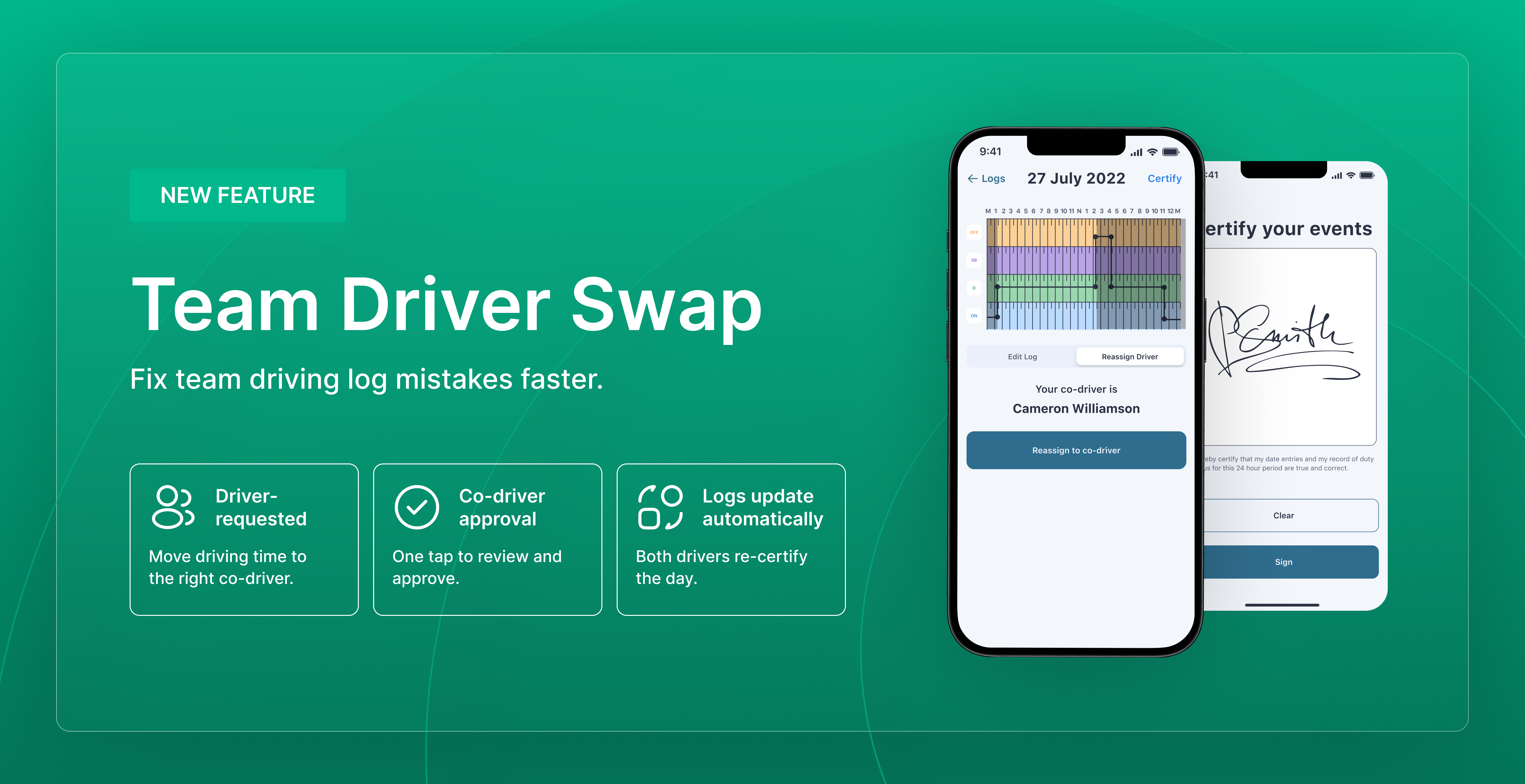
Team driving errors — where the wrong driver ends up with driving time on their log — can now be corrected directly from the Driver App. Both drivers approve the swap, and the records update automatically. It's the FMCSA-recognized correction path for team driver assignment errors.

What’s New?

The Reassign action is now available on Driving events in the Driver App. It lets a driver move a Driving event from their own log to their co-driver's log, with the co-driver's approval. The system applies the annotation "Team Driver Swap" to both logs automatically, and total driving time across the pair stays unchanged.

  • Available only on events where a co-driver was indicated at the time of recording

  • The affected day is locked on the Fleet Portal for both drivers to prevent conflicting edits

  • The lock clears as soon as the request is accepted, rejected, or cancelled

  • Both drivers re-certify the affected day

Learn More

Need to move driving time to the correct co-driver? Follow the full walkthrough here: Reassign Driving time between co-drivers